 Relay
You're deep into a Claude chat, the work is finally taking shape, and Claude tells you the conversation has reached its maximum length. You can't send another message in that chat.
The conversation isn't lost. You just need to carry the useful parts into a fresh chat, either in Claude or somewhere else.
Step by step
Decide where to continue
A new Claude chat if you want to stay in Claude, or ChatGPT or Gemini if you'd like a second opinion anyway.
Pick what to keep
The first message with your goal, any message where you decided something, and the latest version of the work.
Bring it over
Paste those messages into the new chat, or click Relay in the Claude chat, untick the rest and check the preview.
Say what you want next
Add one line with your next question, so the new chat continues instead of summarizing.
Doing it with Relay
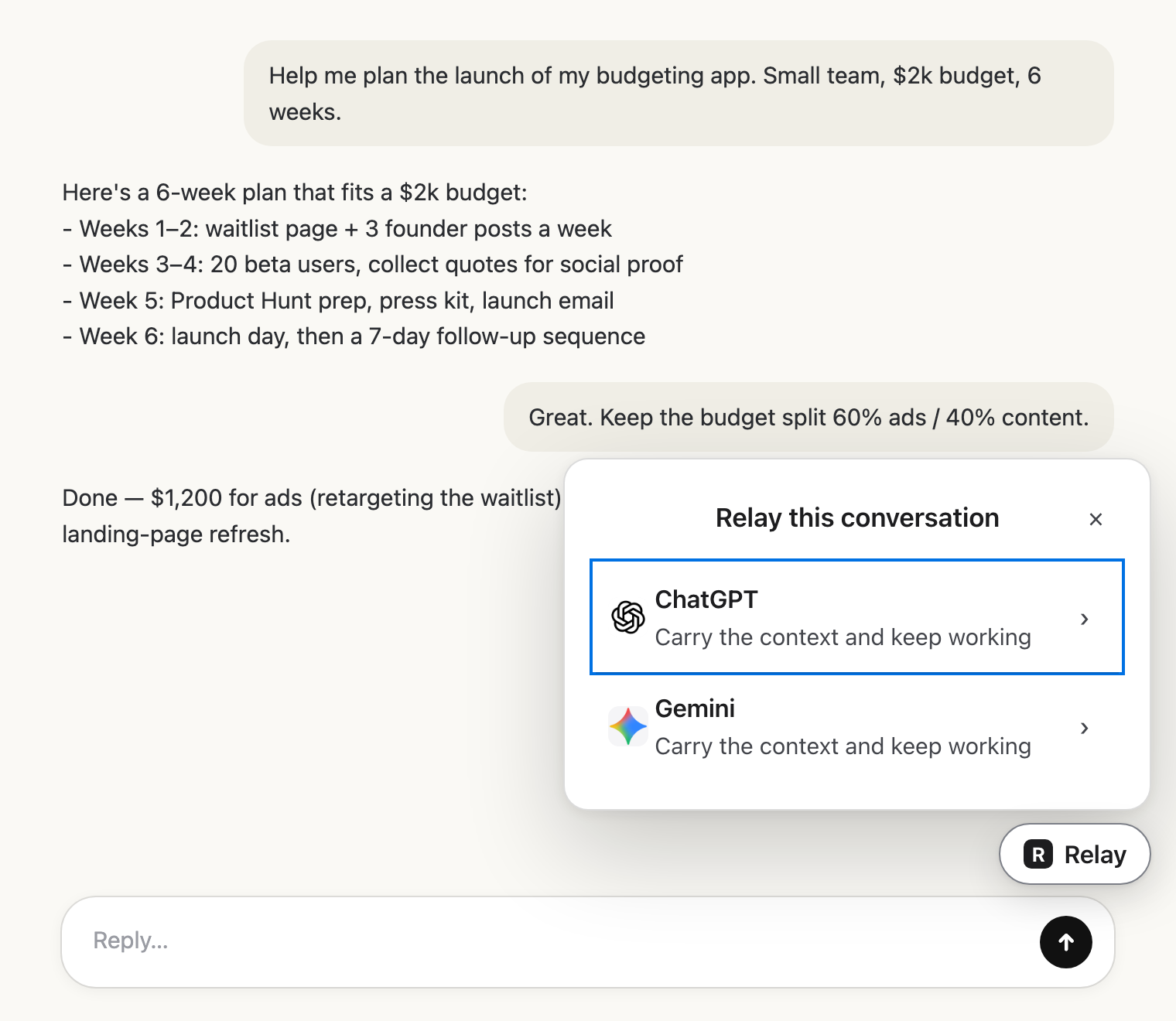 Pick the next AIClick Relay in the chat and choose where it goes.
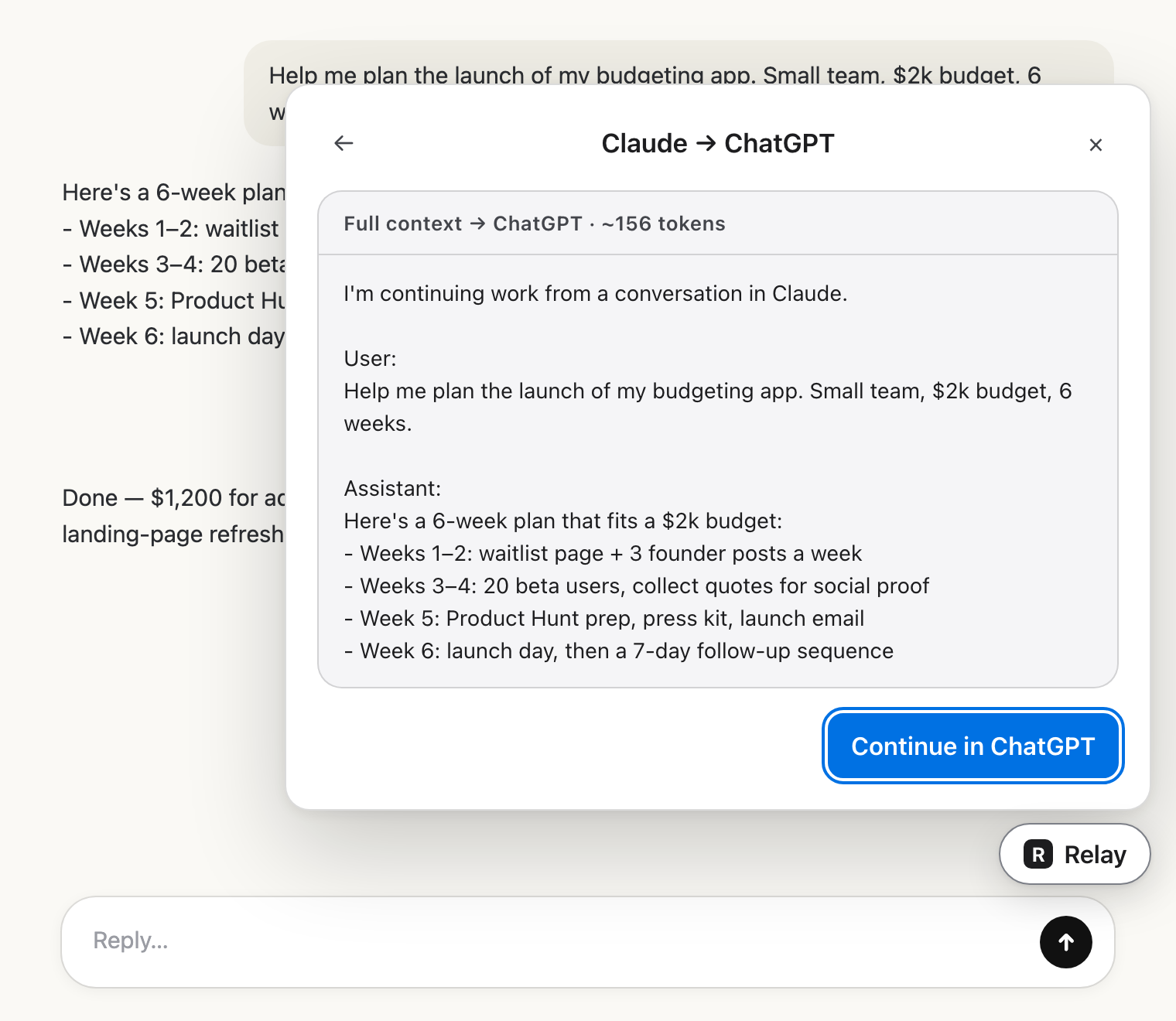 Check the hand-offRead exactly what the other AI will get.
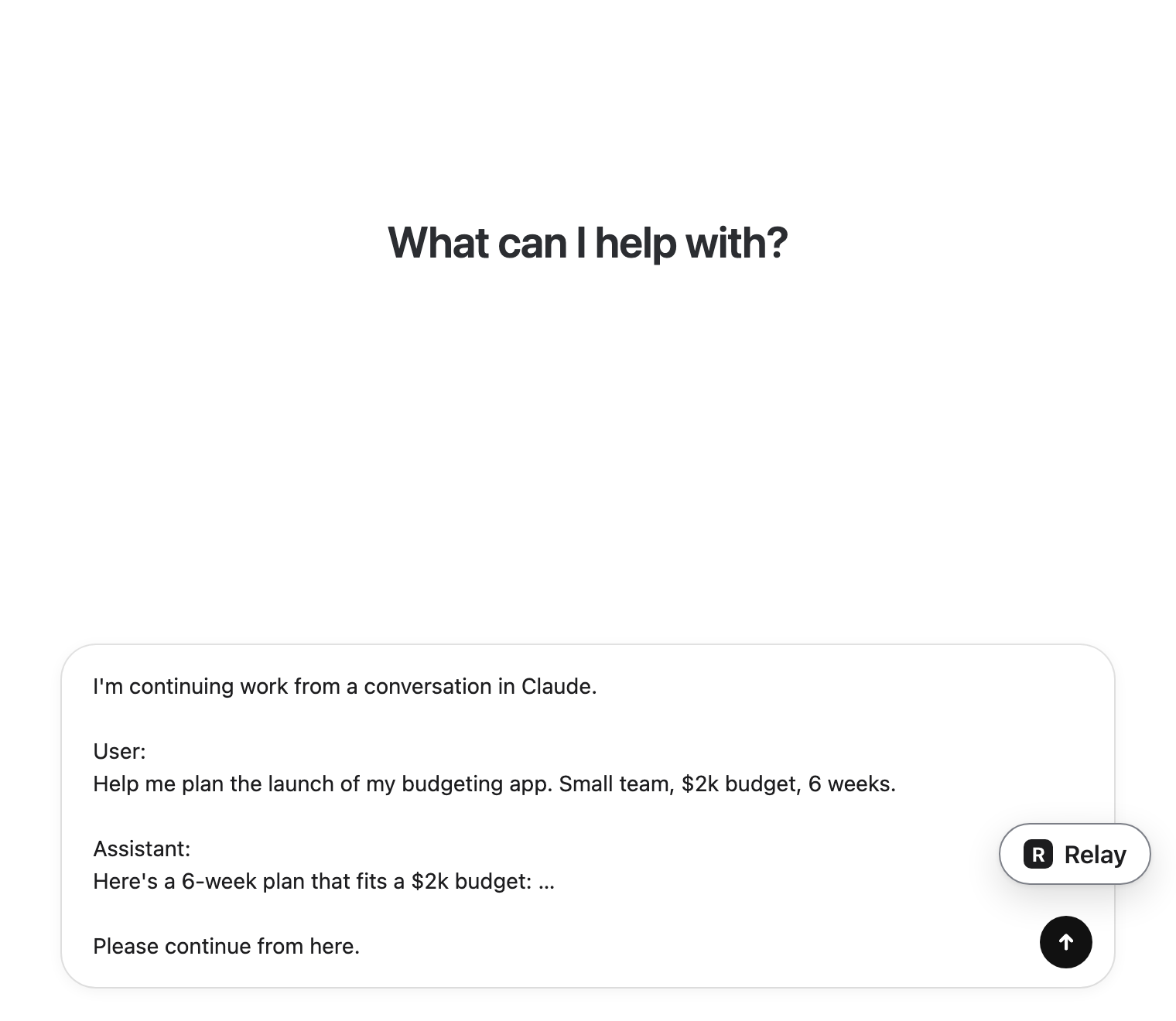 Carry on thereIt lands in the message box. You press send.
Why it happens
Every AI model reads a conversation through a context window, a limit on how much text it can consider at once. Each message, each reply and every file you attached counts toward it. Long threads, big pastes and uploaded documents fill it faster than you'd expect.
When the window is full, Claude can't take in the next message, so it asks you to start a new chat.
Avoid it next time
- Before a thread gets very long, ask Claude to sum up the decisions and open questions, then continue from that summary.
- Put long reference material in a Claude Project, if you use them, instead of pasting it into every chat.
- Start a new chat when the topic changes, rather than keeping everything in one thread.
Frequently asked questions
Can I keep using the same Claude chat after this message?
No. Once a chat hits its maximum length you need a new chat. You can still read and copy from the old one.
Will a new chat remember the old one?
Not on its own. A new chat starts empty, so you need to bring the context in, either by pasting it or with a tool like Relay.