 Relay
Side by side
| Method | Relay | Copy and paste |
|---|---|---|
| Works with a long chat | Yes | Slowly |
| Keeps who said what | Yes | If you're careful |
| Pick which messages go | Yes | Yes |
| Shows the full hand-off first | Yes | No |
| Works on a phone | No | Yes |
| Needs an install | Yes | No |
Where Relay is better
- Long chats: one click instead of dozens of copy rounds.
- Accuracy: every message is labelled User or Assistant, so the other AI knows who said what.
- Checking: you read the exact hand-off before it moves.
Where copy and paste is better
- One or two messages: copying is quicker than opening a panel.
- Phones and any app: copy-paste works everywhere, Relay only in Chrome on a computer.
Which should you use?
Copy a message or two by hand. Reach for Relay when the conversation is long, or when you want the other AI to get the full picture without you checking each paste.
What Relay looks like
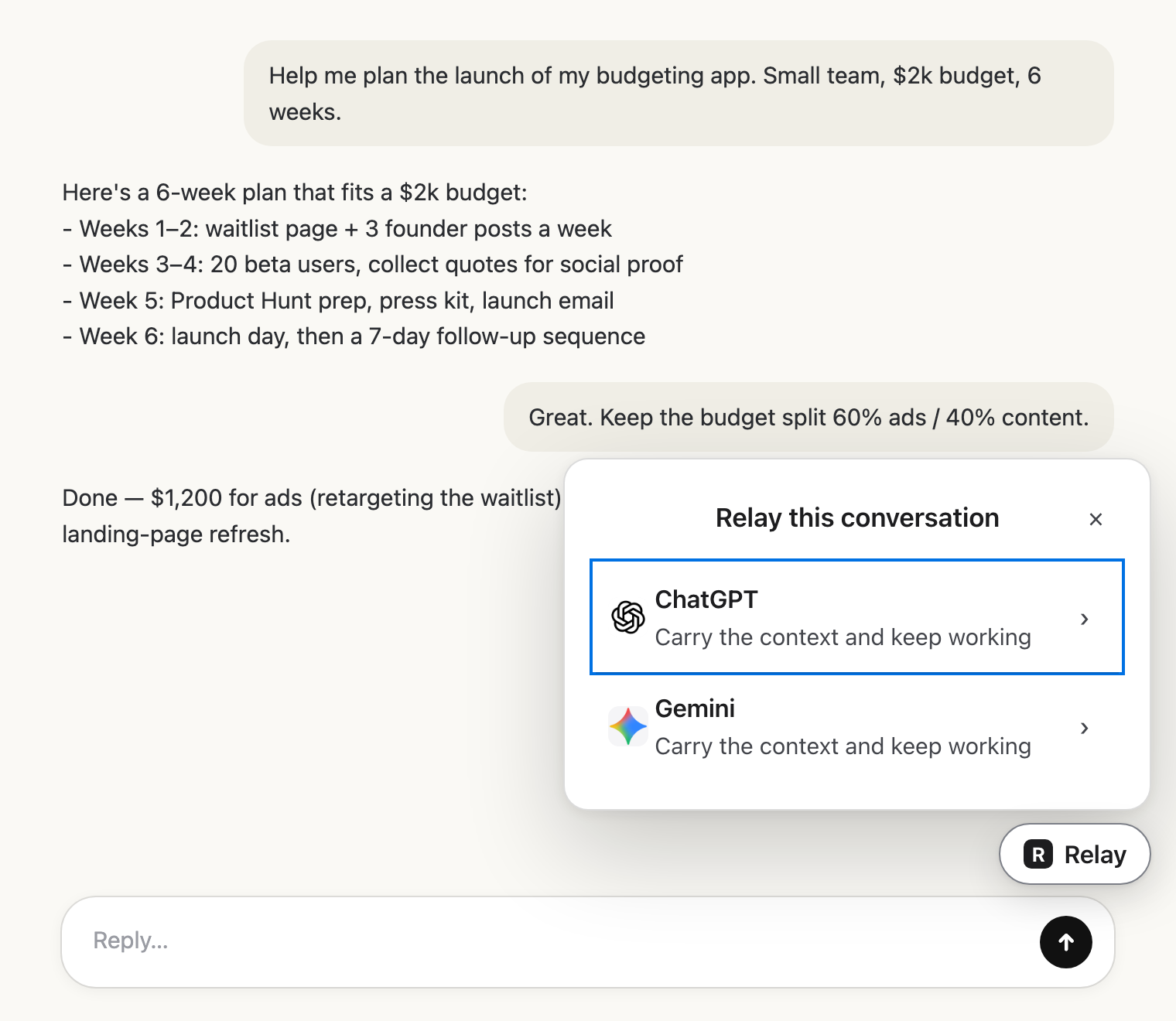 Pick the next AIClick Relay in the chat and choose where it goes.
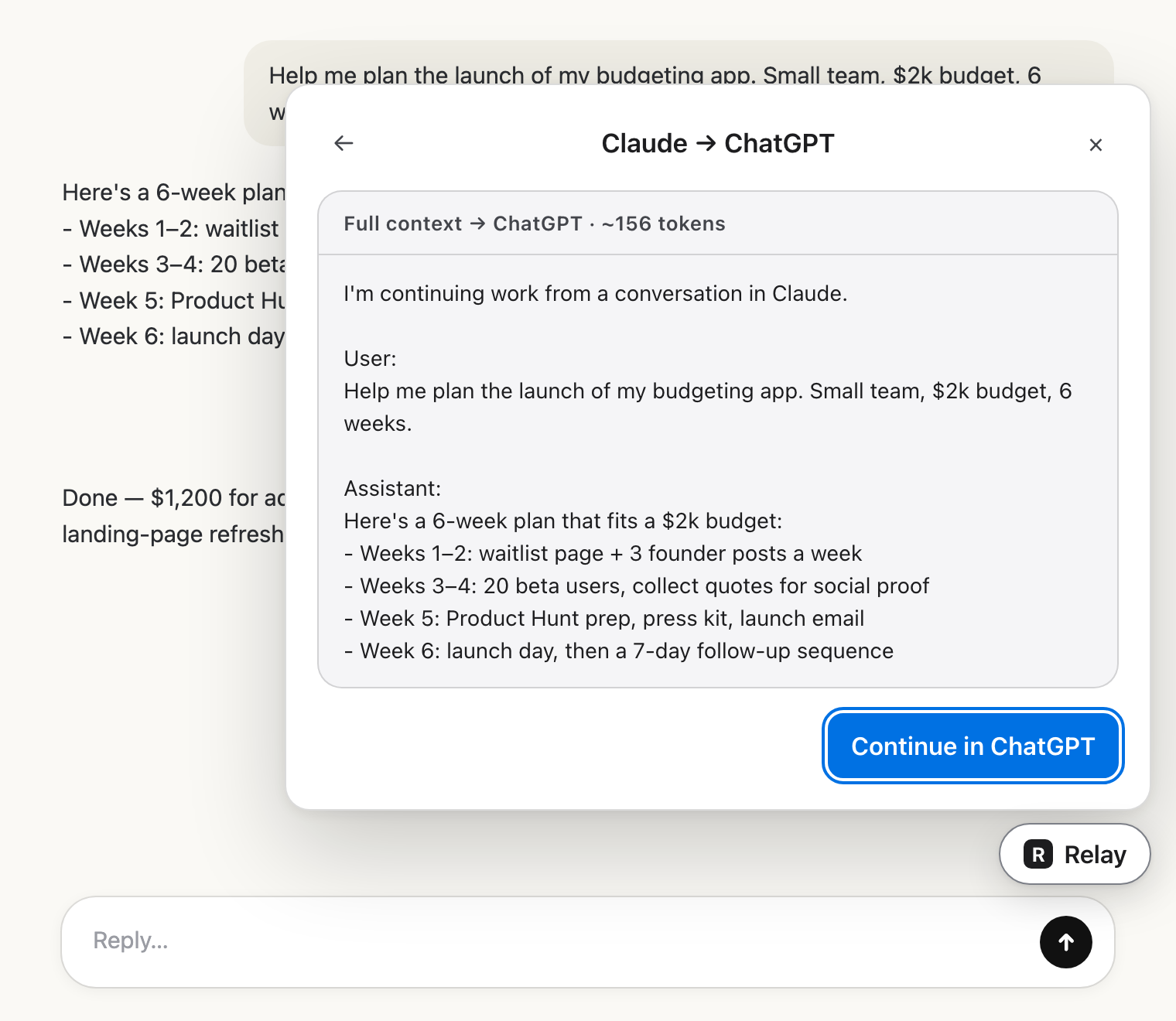 Check the hand-offRead exactly what the other AI will get.
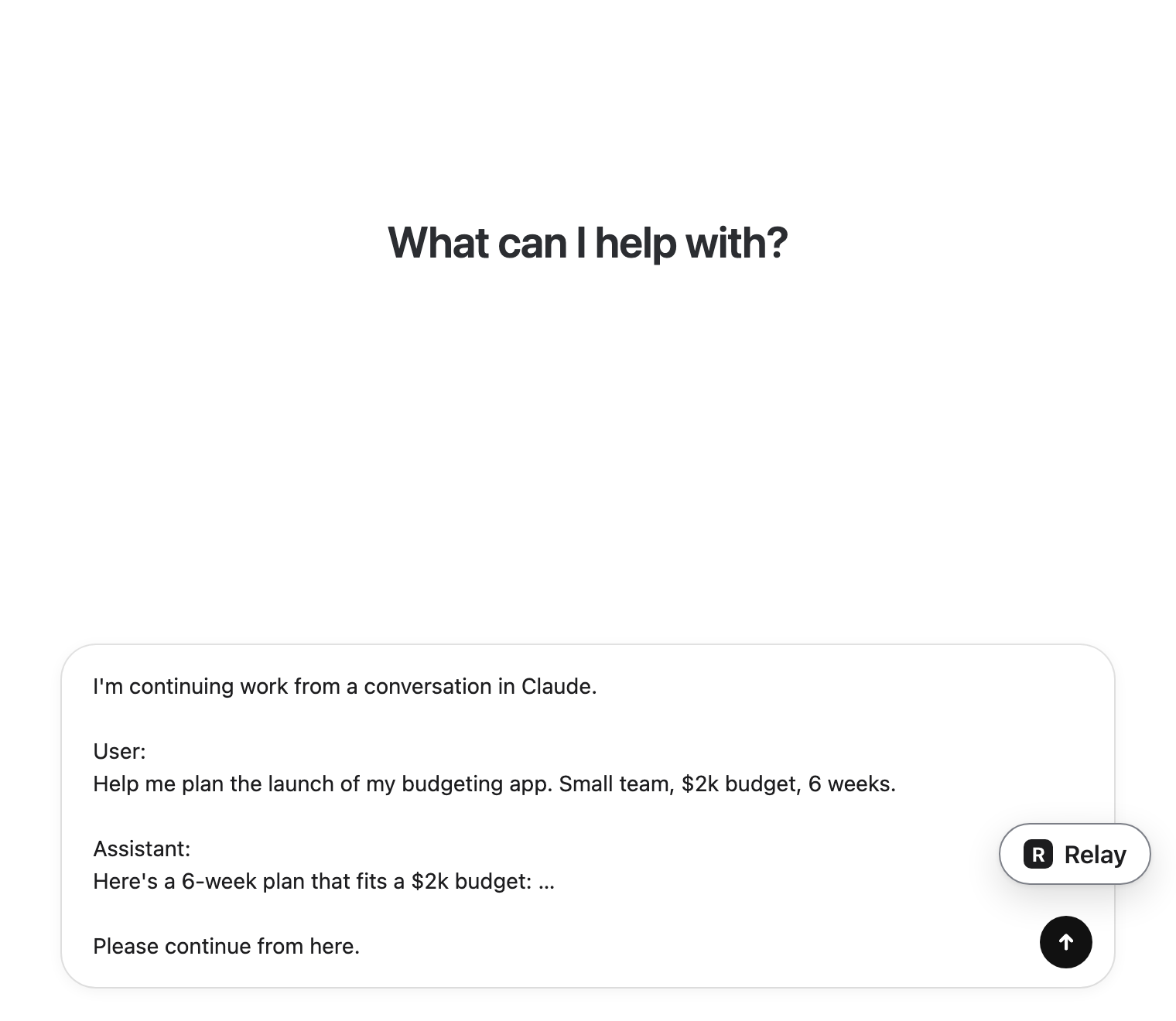 Carry on thereIt lands in the message box. You press send.
Questions
Is Relay just automated copy and paste?
Mostly, yes, and that's the point. It also labels each message, adds a short opening line so the other AI knows it's a continuation, and warns you when the hand-off is very large.