 Relay
Gemini to ChatGPT
Continue a Gemini conversation in ChatGPT. Relay puts your chat in ChatGPT's message box, so you carry on where you left off instead of explaining it all again.
 Add to Chrome
Relay runs in Chrome on a computer, not on phones.
- Free
- No account
- Runs in your browser
- Never sends for you
 gemini.google.com/chat/launch-plan
Help me plan the launch of my budgeting app. Small team, $2k budget, 6 weeks.
Here's a 6-week plan that fits a $2k budget: - Weeks 1–3: waitlist page + 20 beta users - Weeks 4–6: Product Hunt launch + follow-up emails
Keep the budget split 60% ads / 40% content.
Done — $1,200 for ads retargeting the waitlist, $800 for two launch videos.
 chatgpt.com
What can I help with?
The real Relay panel on a sample chat. Nothing you click here leaves the page.
Every way to move it, compared
Each built-in way to get a Gemini chat into ChatGPT covers part of the job.
| Method | Just this chat | Lands in ChatGPT | Pick messages | Done in seconds | Trade-off |
|---|---|---|---|---|---|
| Copy and paste | Yes | No | Yes | Short chats | Fine for a few messages. A long thread means many rounds of copying, and it's easy to miss the message where you decided something. |
| Share link | Yes | No | No | Yes | Quick to make, but it's a page for people. ChatGPT usually can't open it or read it as context. |
| Google Takeout | No | No | No | No | Your whole history arrives later as a download. You still have to find the chat and paste it yourself. |
| Relay | Yes | Yes | Yes | Yes | Picks up only the messages you keep and opens ChatGPT with them ready to send. Chrome on a computer only. |
From Gemini to ChatGPT in a few clicks
Say you researched laptops in Gemini and narrowed it down to three. You bring your needs, budget and the shortlist, and ask ChatGPT to argue for and against each one.
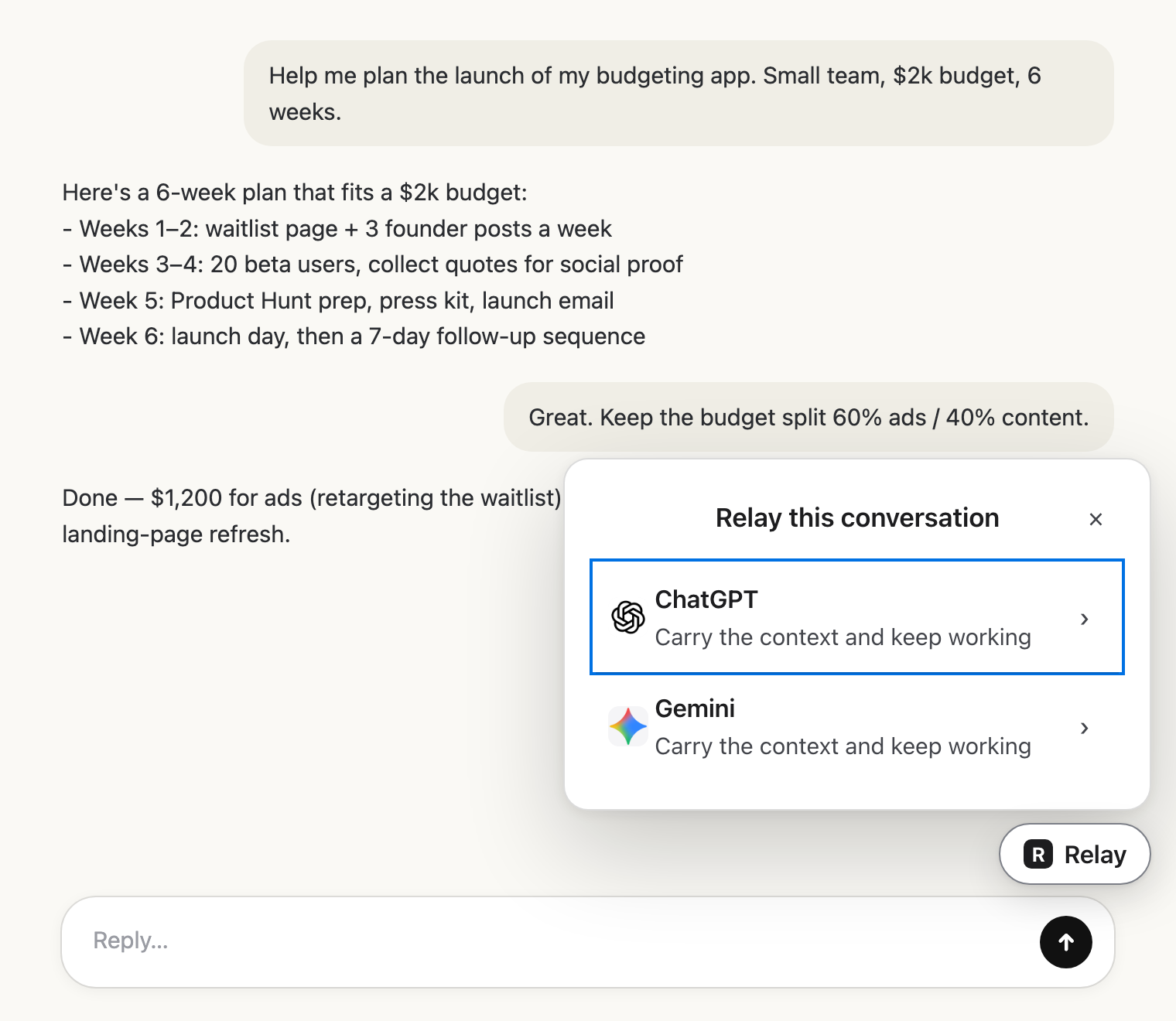 Open your Gemini chatGo to the conversation you want to continue and click the Relay button in the corner.
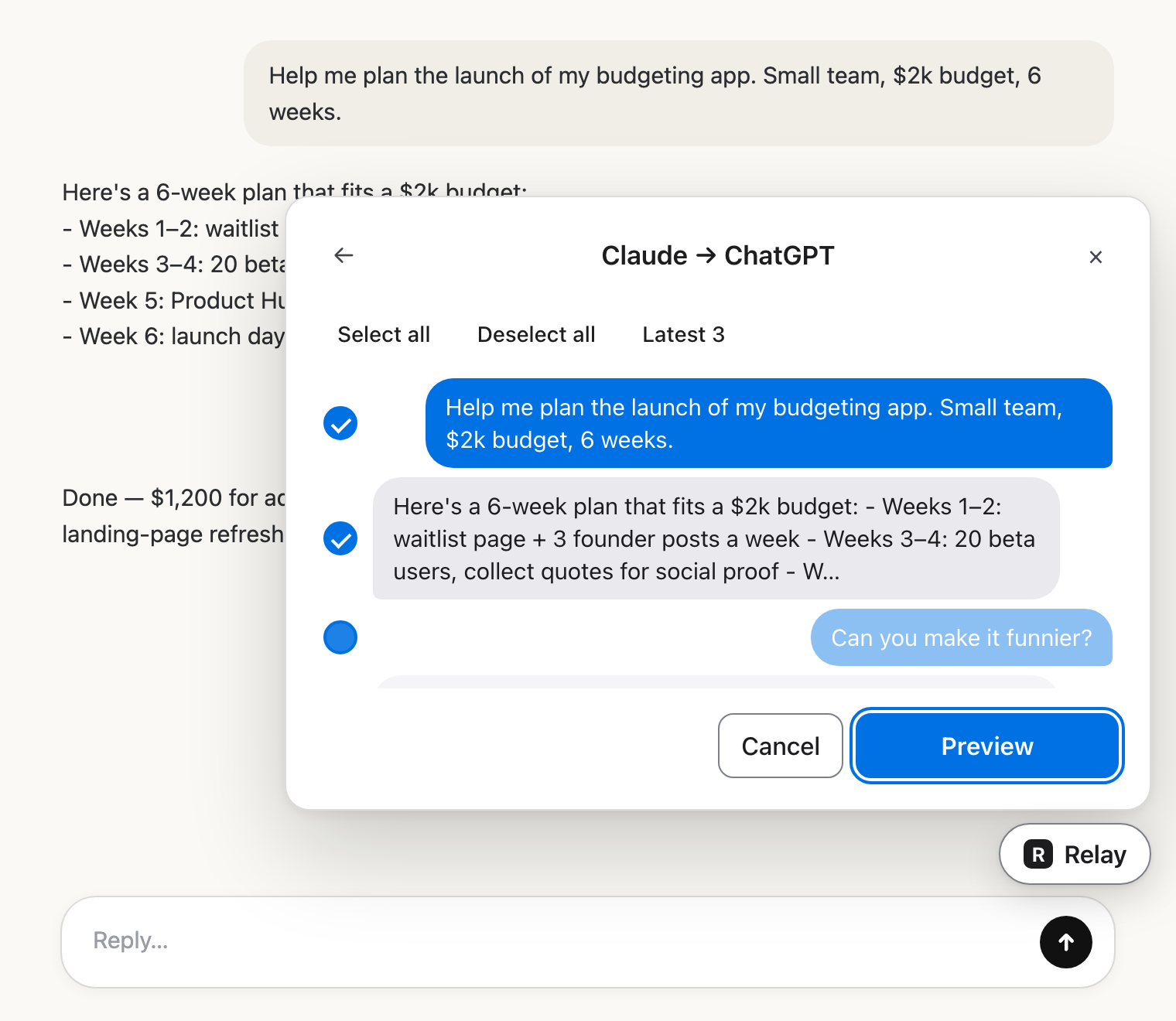 Pick ChatGPTChoose ChatGPT, untick any messages you don't need, and read exactly what ChatGPT will get.
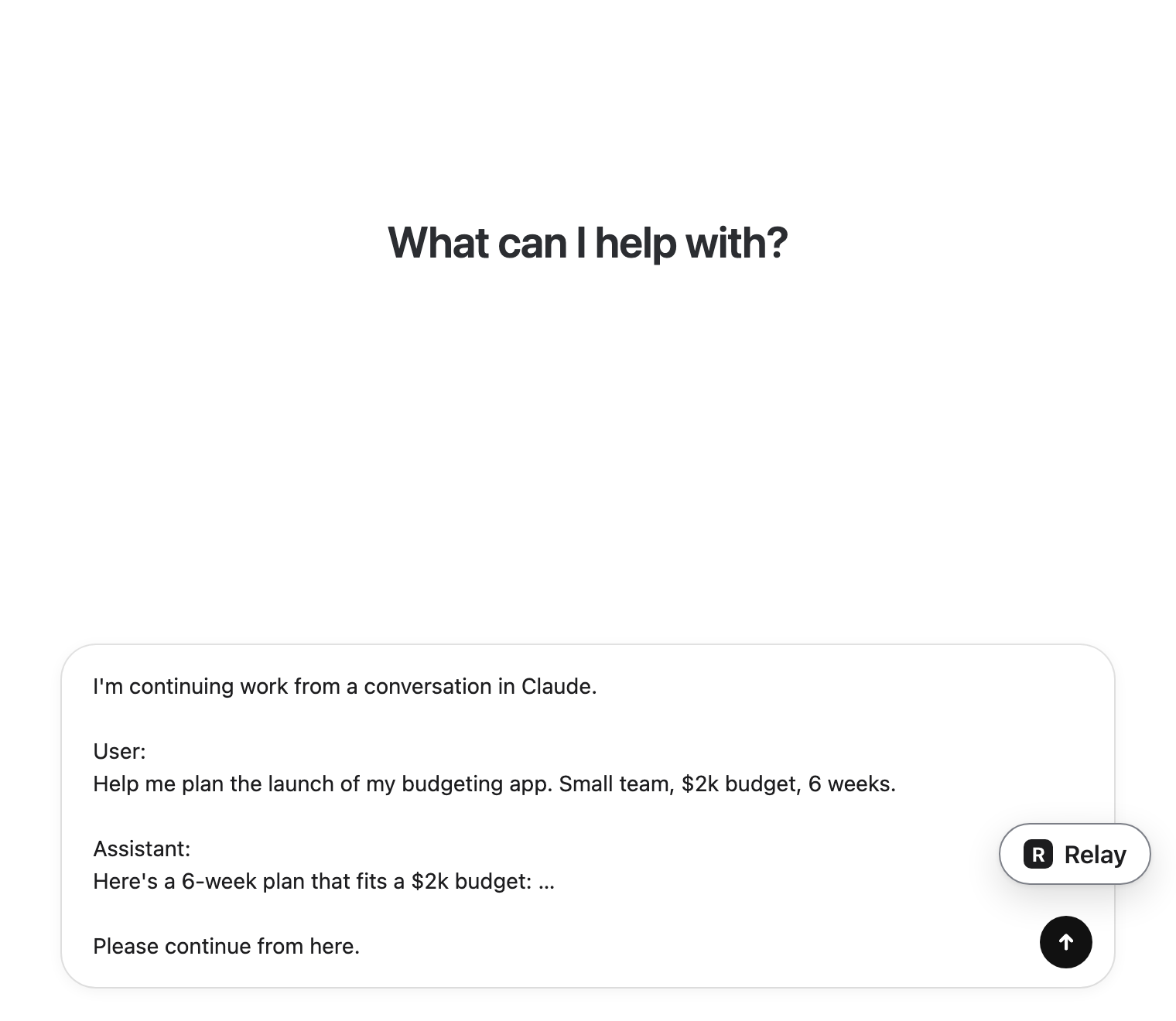 Carry on in ChatGPTChatGPT opens in a new tab with the conversation in its message box. Add your next question and press send.
Doing it by hand
You can move the conversation yourself. It works, it’s just slower, and long chats are easy to get wrong.
Getting it out of Gemini
- Copy each prompt and response, using the copy button under Gemini's replies.
- Share & export can send a single response to Google Docs or Gmail, but not the whole thread.
- Your full history sits in Gemini Apps Activity and can be downloaded with Google Takeout, which again is everything, not one chat.
Putting it into ChatGPT
Paste it into a new ChatGPT chat with a line that says what you want next. Very long pastes can hit ChatGPT's message length limit, so trim the parts that don't matter.
Questions people ask before installing
Will ChatGPT know the conversation came from Gemini?
Yes. Relay starts the hand-off with "I'm continuing work from a conversation in Gemini", followed by the messages you chose, so ChatGPT reads it as a continuation.
Can I bring only part of the Gemini chat?
Yes. Every message has a checkbox, and you can keep only the latest few. You see the full hand-off before anything moves.
Does Relay send the message to ChatGPT for me?
No. Relay puts the text in ChatGPT's message box and stops there. You read it, add your question and press send yourself.
Does my conversation go through Relay's servers?
No. Relay runs in your browser and has no servers. The text goes straight from the Gemini tab to the ChatGPT tab.
What if the conversation is really long?
Relay warns you when a hand-off is very large, because a huge paste can make answers worse. Untick the side conversations and keep the messages ChatGPT actually needs.
Ready to continue in ChatGPT? Install Relay, open your Gemini chat and click Relay.
Relay runs in Chrome on a computer, not on phones.
Continue your Gemini chat in ChatGPT.
It’s free and works with ChatGPT, Claude and Gemini. No account needed.
Relay runs in Chrome on a computer, not on phones.