 Relay
ChatGPT plans come with usage limits, and some models have tighter caps than others. When you hit one, ChatGPT tells you when you can use that model again, which is rarely when you want to.
Step by step
Check how long the wait is
If the limit resets soon and the work can wait, keep the chat and come back. Nothing is lost.
Try another model in ChatGPT
For simple follow-ups, a different model may be enough. Read the answers carefully, as quality and style can change.
Or continue in Claude or Gemini
Click Relay in the ChatGPT chat, pick Claude or Gemini, keep the messages that matter and check the preview.
Ask your next question
The other AI opens with the conversation in its message box. Add what you want next and press send.
Doing it with Relay
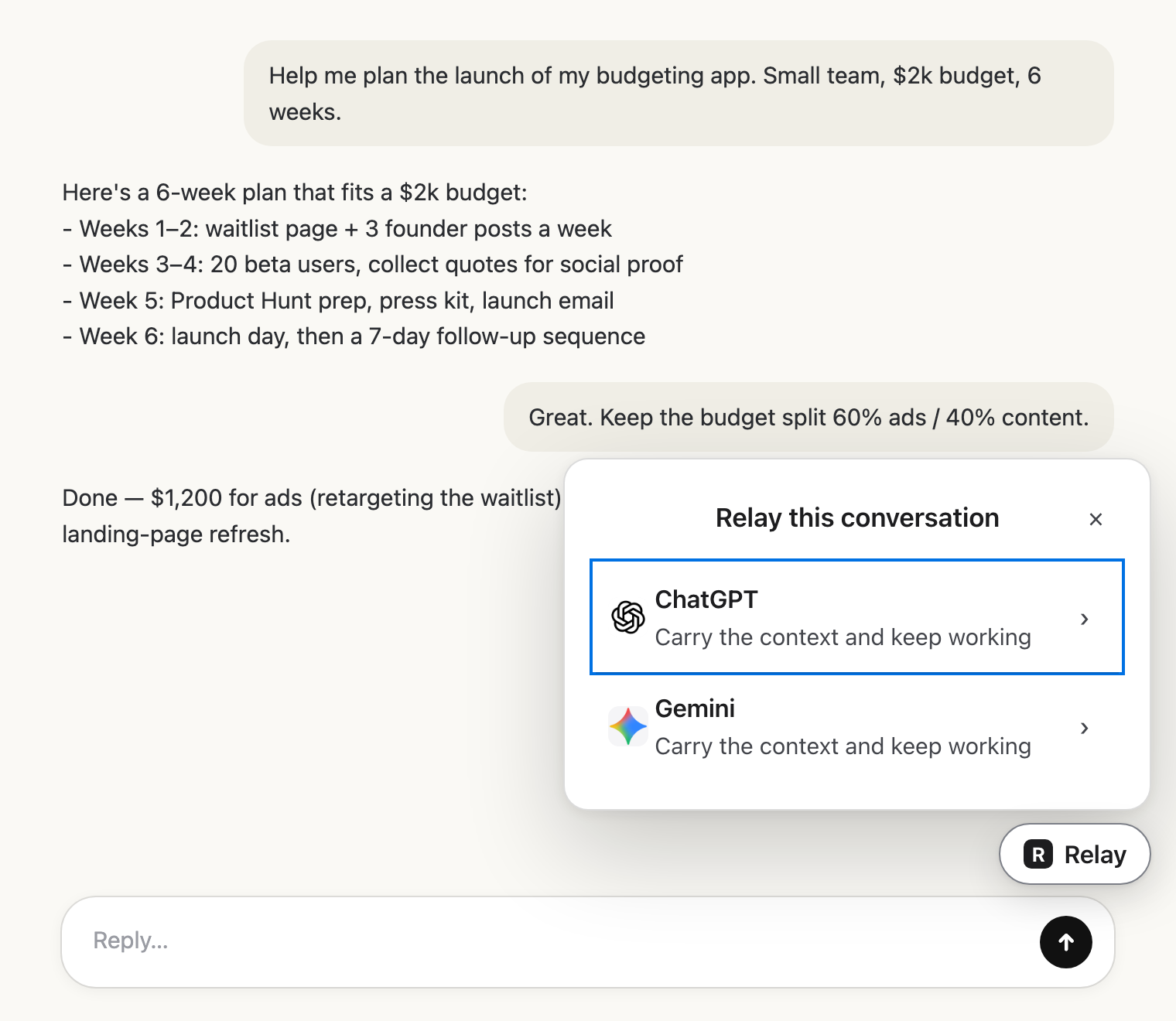 Pick the next AIClick Relay in the chat and choose where it goes.
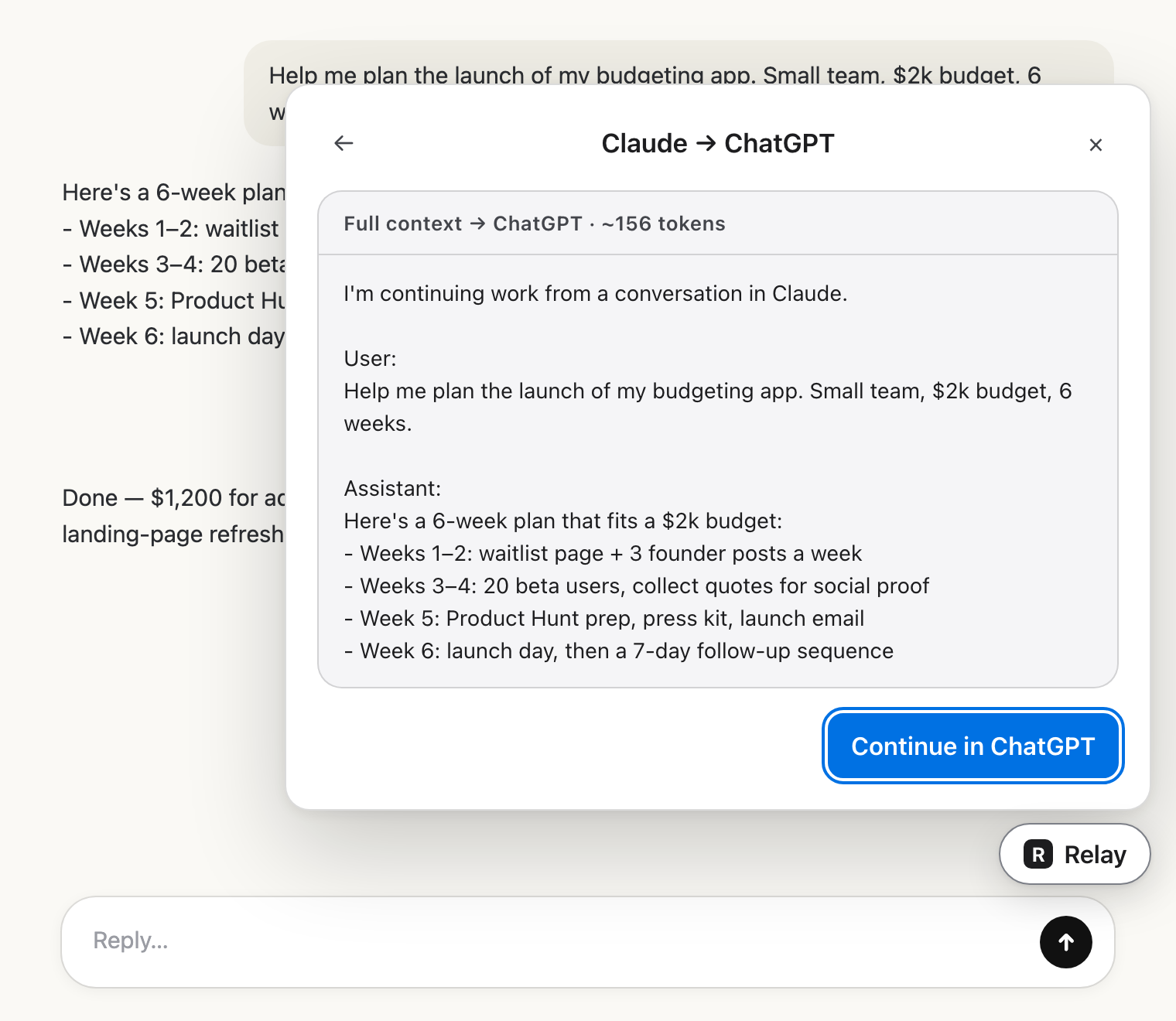 Check the hand-offRead exactly what the other AI will get.
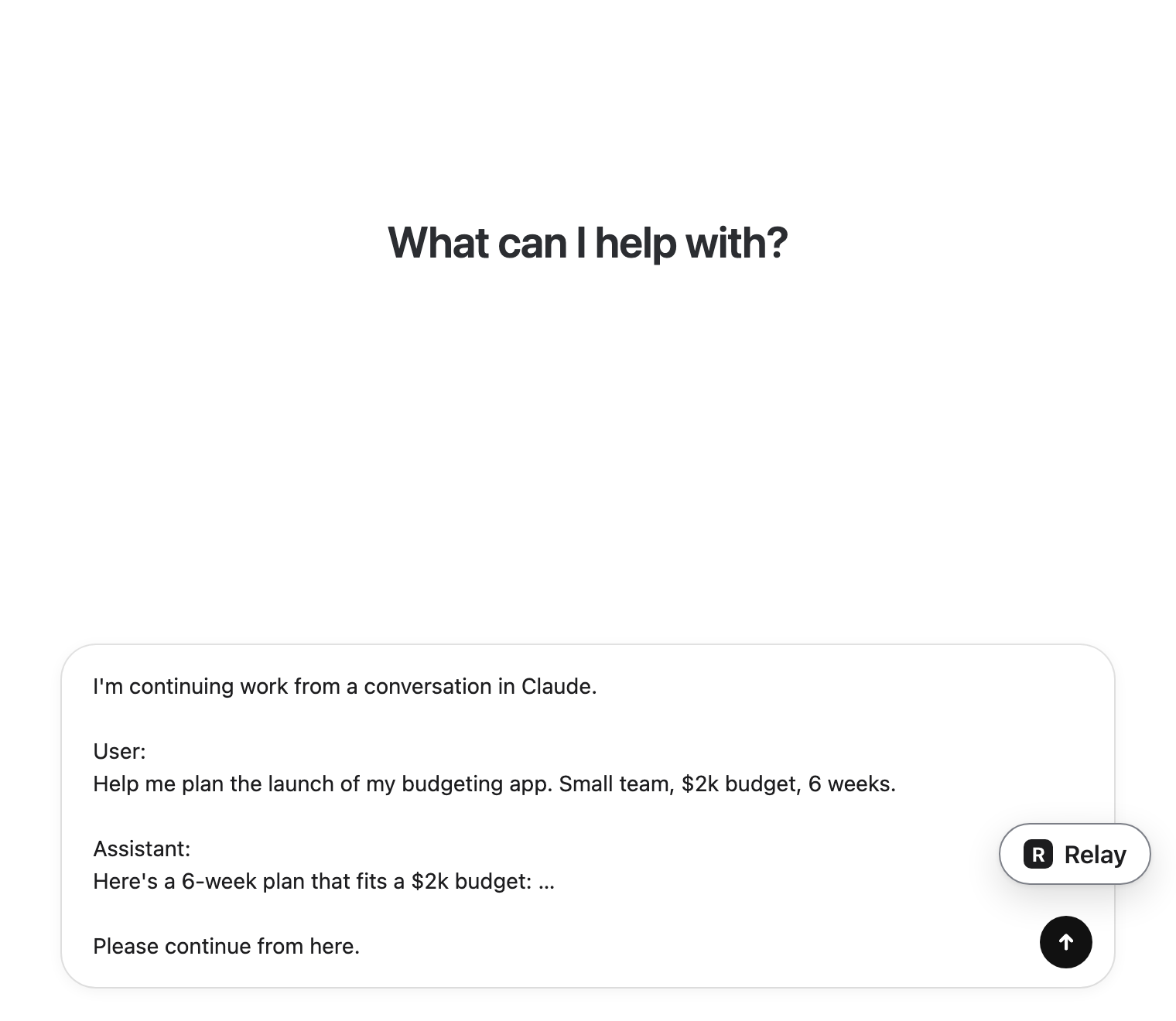 Carry on thereIt lands in the message box. You press send.
Make the hand-off work
- Keep the message where you described the goal.
- Keep decisions and constraints, even if they're short.
- Keep the latest version of the work, not every earlier draft.
- Add one line saying what you want next, so the new AI doesn't just summarize.