 Relay
Your chats stay in your browser
Relay has no servers and no accounts. When you start a relay, it reads the messages in the conversation you’re looking at, shows you exactly what it will pass on, and puts that text into the AI you chose. All of this happens in your browser.
We never receive your conversations, and neither does anyone else. The text only goes to the AI you picked, same as if you’d pasted it yourself. Relay never sends a message for you. You read it and press send.
What Relay reads
Relay only runs on chatgpt.com, chat.openai.com, claude.ai and gemini.google.com. It reads the conversation on the page when you open Relay, and only to build the text you’re about to pass on.
What Relay keeps on your computer
- The text you’re passing on. Once you confirm, it waits in the extension’s storage until the other AI’s tab picks it up. It’s deleted then, or after 10 minutes if that never happens.
- Recent relays. The conversation title, which AIs you used, the links and the time. No message text.
- Settings. Things like which sites show Relay and where you’ve moved the Relay button.
- Usage counts. Simple counts such as “relay started” or “relay finished”, kept on your computer to help with troubleshooting. They don’t include any conversation text. They stay on your computer unless you turn on usage sharing (below).
“Clear history” in the Relay popup deletes your recent relays and usage counts. Removing the extension deletes everything above.
Anonymous usage data (optional, off by default)
The Relay popup has a “Share anonymous usage data” switch. It’s off until you turn it on. When it’s on, Relay sends the usage counts above to PostHog, an analytics service, on its EU servers: the event (such as “relay finished”), which AIs you moved between, how many messages, a rough size, an error code if something failed, the Relay version, and a random ID created for this install. It never sends conversation text, titles, links or anything that identifies you. Turn the switch off and sending stops right away.
While the switch is on, Relay also asks PostHog a few times a day which features to turn on (feature flags), using the same random ID. With the switch off, Relay doesn’t contact PostHog at all. PostHog processes this data under its privacy policy.
Website analytics
This website (getrelayapp.net) uses Google Analytics in Google’s Consent Mode. Until you click Accept on the cookie notice, it sets no cookies and sends Google only cookieless pings (a page was viewed or a button was clicked) with no ID that links your visits. If you accept, it sets Google Analytics cookies so we can count returning visitors, and records pages viewed, clicks on “Add to Chrome”, use of the demo and your rough location and device type. You can change your choice any time with “Cookie settings” at the bottom of every page. Google processes this data under its privacy policy.
Feedback forms
The “Report a problem” link and the short survey you see after uninstalling are Google Forms. Everything in them is what you choose to type, and your email is optional. Google handles the responses under its privacy policy, and we only use them to fix problems and improve Relay. Please don’t paste conversation text into these forms.
What we don’t do
- We don’t show ads or use ad trackers.
- We don’t use analytics unless you opt in, as described above.
- We don’t sell or share your personal data or your conversations.
- We don’t train on your data.
Changes
If a future version works differently, for example if it adds an optional sign-in, we’ll update this page before it ships.
Contact
For questions, or to ask us to delete feedback you sent: [email protected]
What Relay looks like
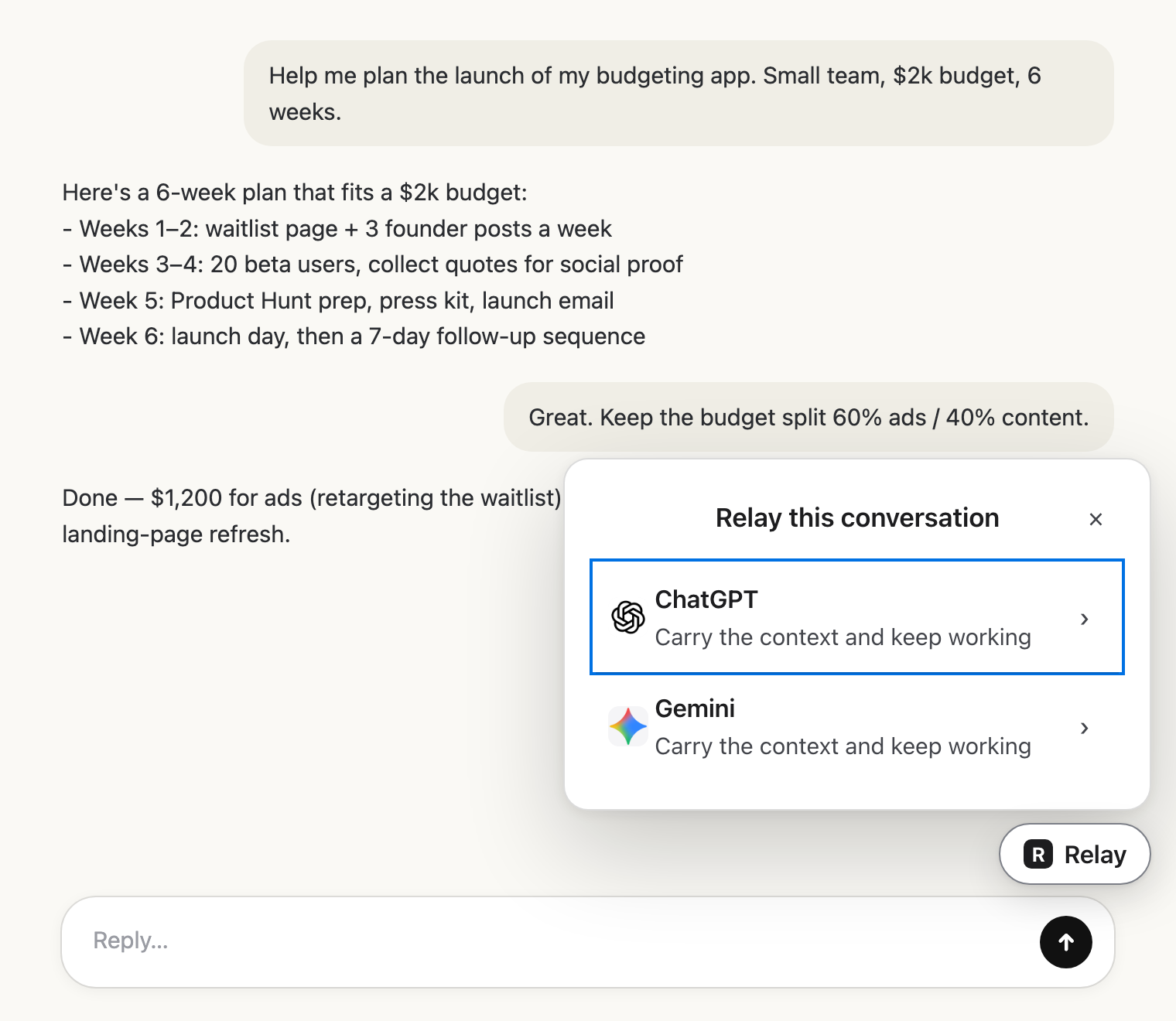 Pick the next AIClick Relay in the chat and choose where it goes.
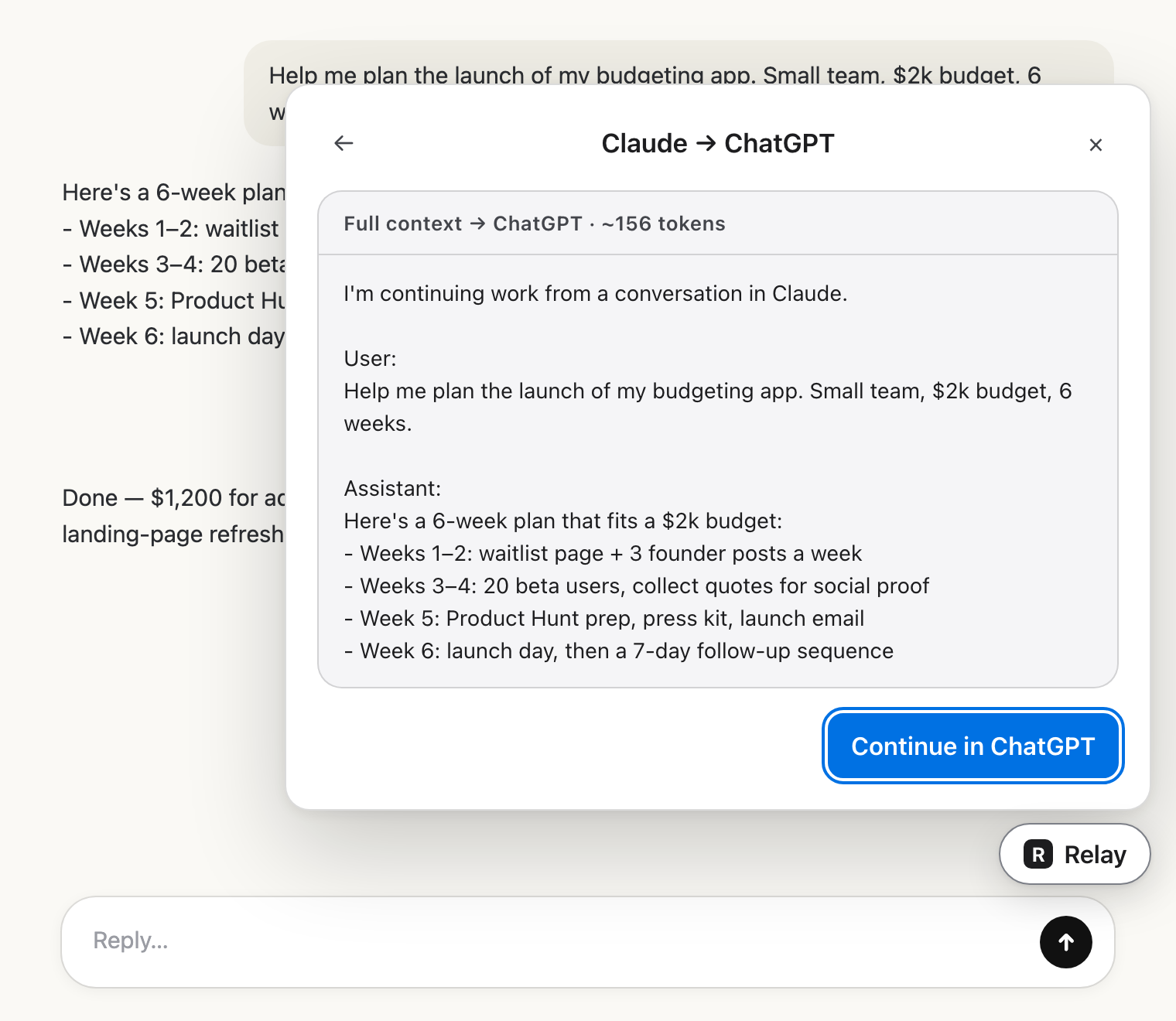 Check the hand-offRead exactly what the other AI will get.
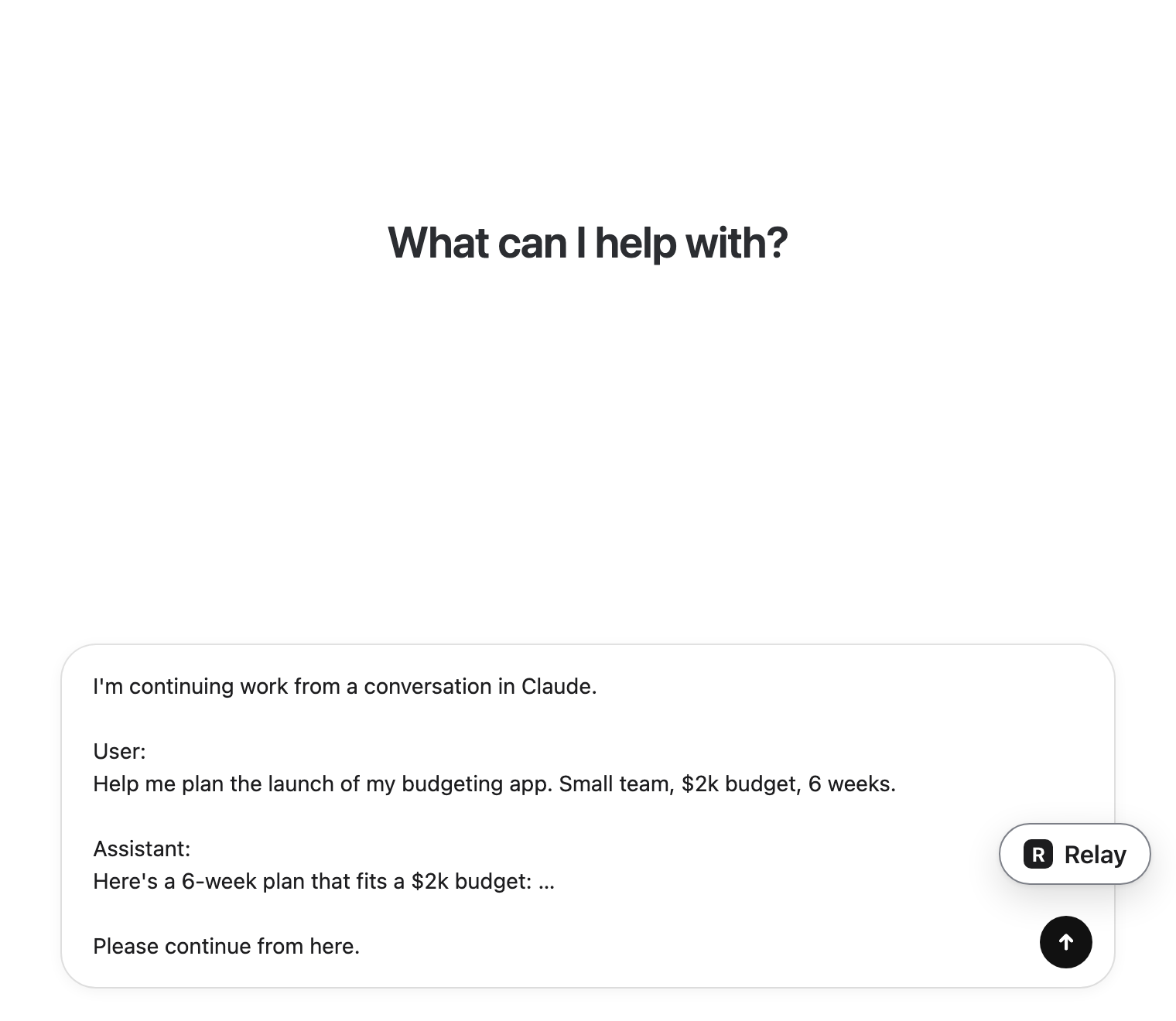 Carry on thereIt lands in the message box. You press send.