 Relay
Getting started
Is Relay free?
Yes. Relay is free and you don't need an account.
How do I install Relay?
Click Add to Chrome on this site, then Add to Chrome on the Chrome Web Store page. Open a ChatGPT, Claude or Gemini chat and the Relay button appears in the bottom corner.
Which browsers does it work in?
Relay is built and tested for Chrome on a computer. Other Chromium browsers that install Chrome Web Store extensions may work, but we haven't tested them. It doesn't run on phones.
Does Relay work on my phone?
No. Chrome on phones doesn't run extensions. Use Relay on a computer.
Using Relay
Which AI chats does Relay work with?
ChatGPT (chatgpt.com and chat.openai.com), Claude (claude.ai) and Gemini (gemini.google.com). You can move a conversation from any of them to either of the others.
Can I choose which messages to bring?
Yes. Untick anything you don't need, or keep only the latest few messages, and check the preview before you continue.
Does Relay send messages for me?
No. It puts the conversation in the other AI's message box. You read it and press send.
What does the other AI receive?
A short opening line, "I'm continuing work from a conversation in …", then each message you kept, labelled User or Assistant, then "Please continue from here." The preview shows it word for word.
What happens with a very long conversation?
Relay warns you when a hand-off is very large, because huge pastes can make answers worse. Untick the side conversations, or continue anyway if you need everything.
Can I move a chat to the same AI, like ChatGPT to a new ChatGPT chat?
Not with Relay. It moves conversations between different AIs. Our guide on continuing in a new chat covers how to do that by hand.
Privacy
Does Relay see or store my conversations?
Relay reads the chat you're on only when you open it, and only in your browser. It has no servers. The text goes into the AI you pick, and the recent relays list keeps titles and links, not message text.
What permissions does Relay need?
Storage, to keep your settings and recent relays on your computer; access to chatgpt.com, chat.openai.com, claude.ai and gemini.google.com, the only sites it runs on; and activeTab, so when you click the Relay icon it can see which of those sites you're on. activeTab only applies to the tab you clicked on, and only at that moment.
Can I delete what Relay keeps?
Yes. Clear your recent relays from the Relay popup. Removing the extension deletes everything it stored.
Does Relay collect usage data?
Only if you turn on Share anonymous usage data in the Relay popup. It's off by default. When it's on, Relay sends counts like "relay finished" with which AIs you used and the message count to PostHog (EU), and checks which features to turn on. Never conversation text, titles or links. This website uses Google Analytics cookies only if you accept the cookie notice.
Troubleshooting
I don't see the Relay button.
Reload the chat page. If it's still missing, open the Relay popup from Chrome's toolbar and check that the site is turned on under Show Relay on.
Relay says it couldn't read the conversation.
The AI site probably changed its layout. Use Report a problem in the Relay popup so we can fix it. Copy diagnostics adds technical details without any conversation text.
The text didn't appear in the other AI's message box.
If Relay can't insert it, it copies the hand-off to your clipboard and tells you, so you can paste it yourself.
What Relay looks like
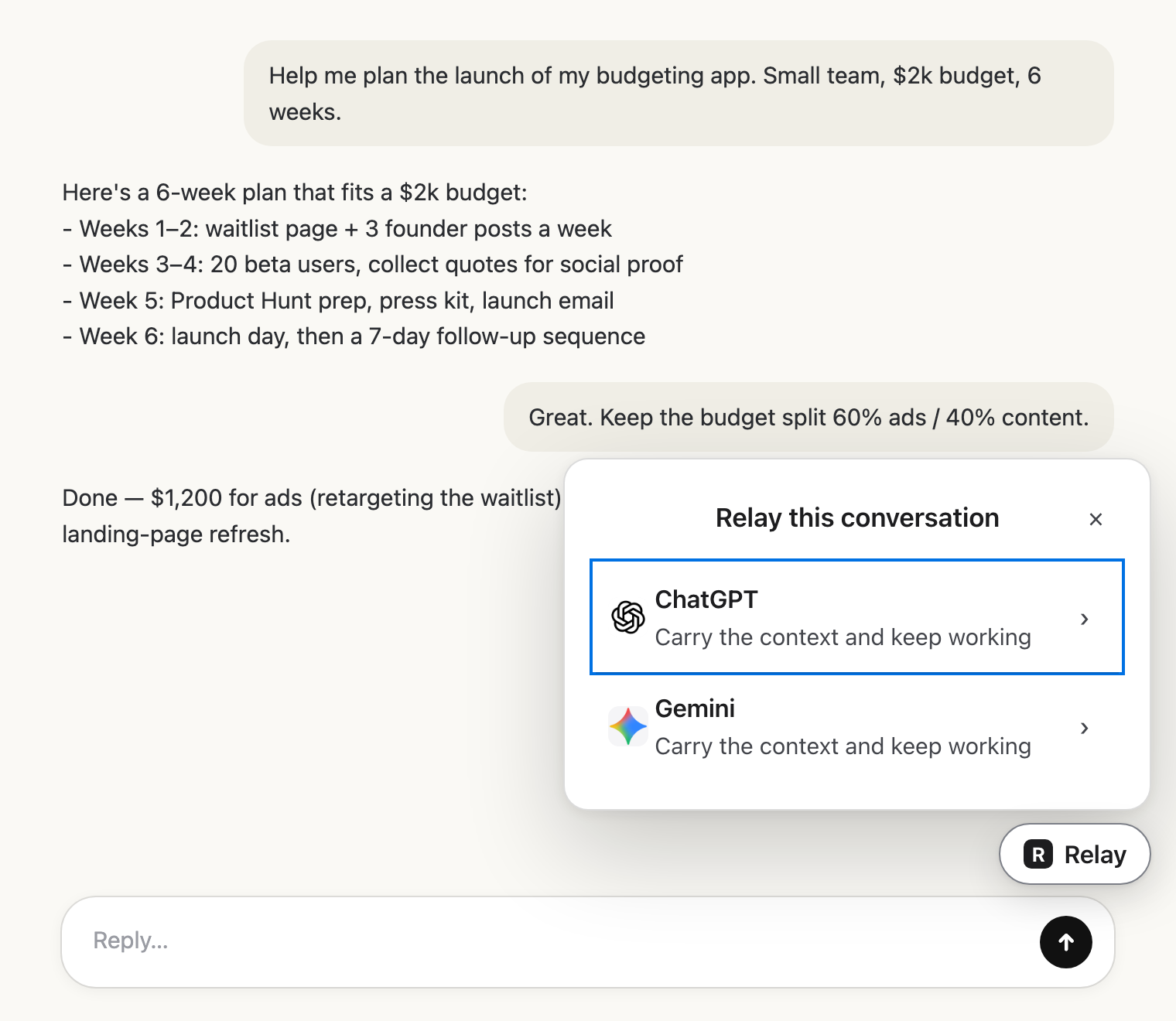 Pick the next AIClick Relay in the chat and choose where it goes.
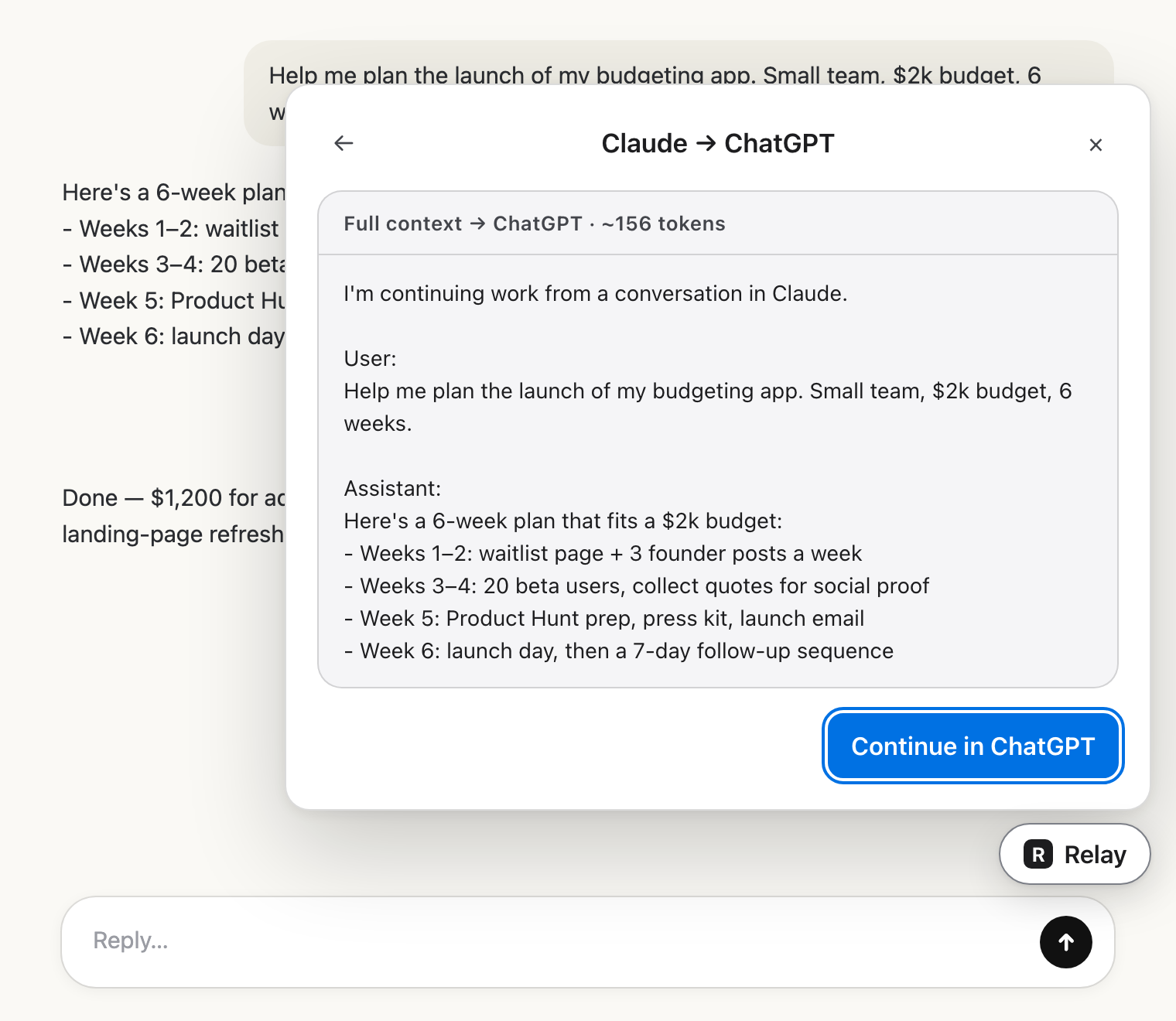 Check the hand-offRead exactly what the other AI will get.
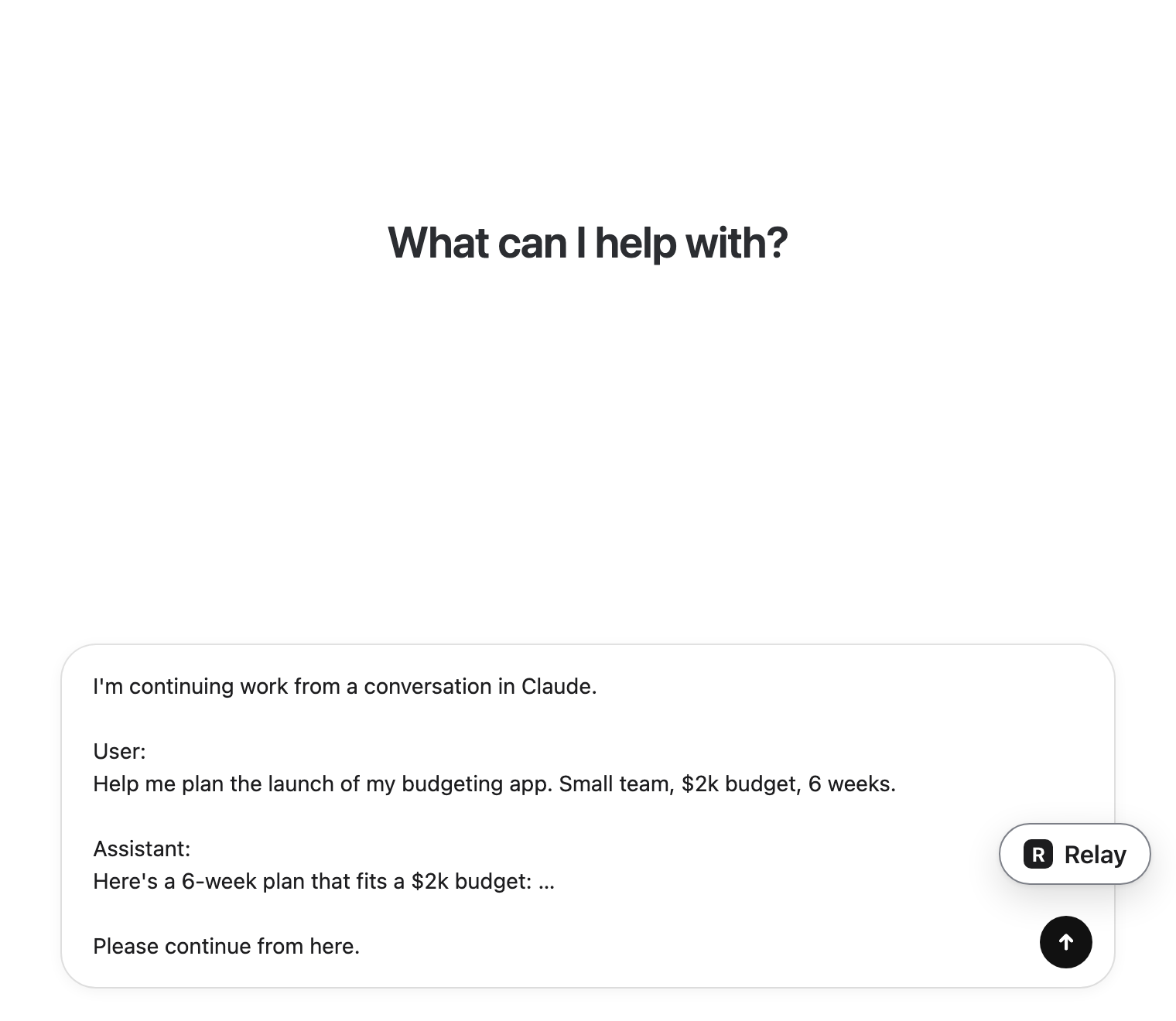 Carry on thereIt lands in the message box. You press send.