 Relay
Long chats get slow, drift off topic, or hit a length limit. Starting a new chat fixes that, as long as you bring the context with you.
Step by step
Ask for a hand-off note
In the old chat, ask: "Write a short hand-off note for a new chat: goal, decisions, constraints, current state and next step."
Check it
Read the note and fix anything wrong. It's only as good as the conversation it came from.
Start the new chat
Paste the note into a new chat and add your next question.
Doing it with Relay
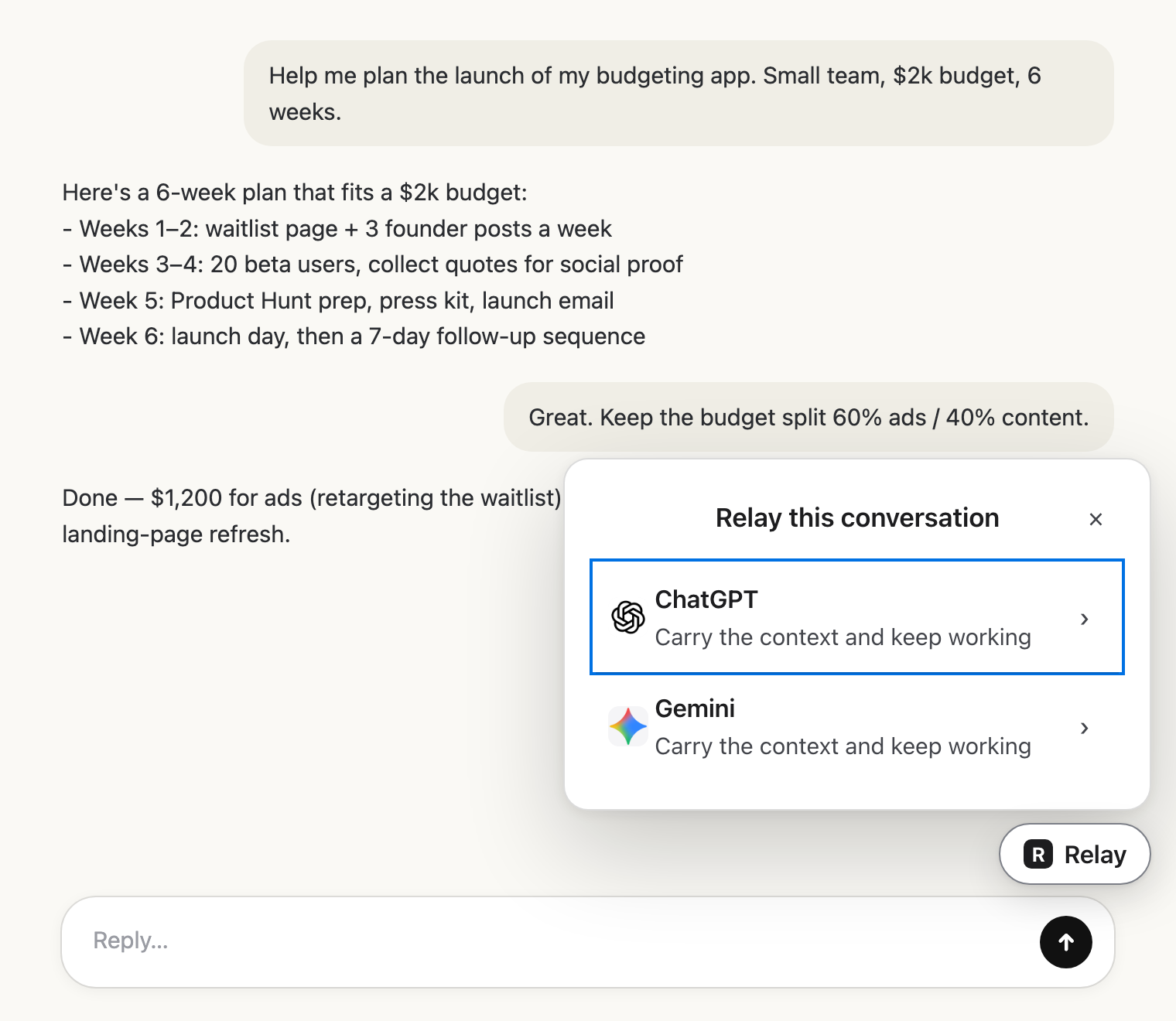 Pick the next AIClick Relay in the chat and choose where it goes.
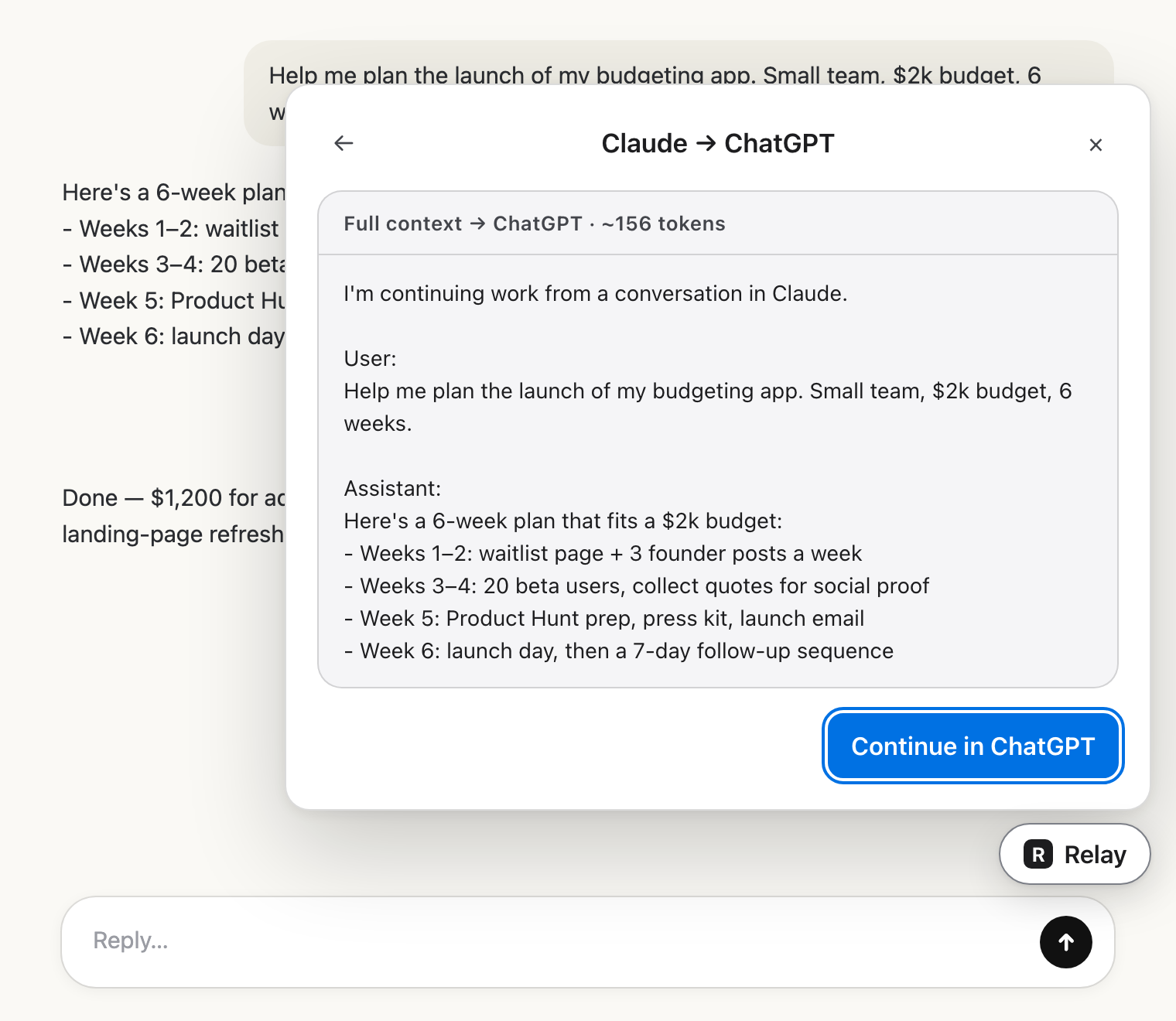 Check the hand-offRead exactly what the other AI will get.
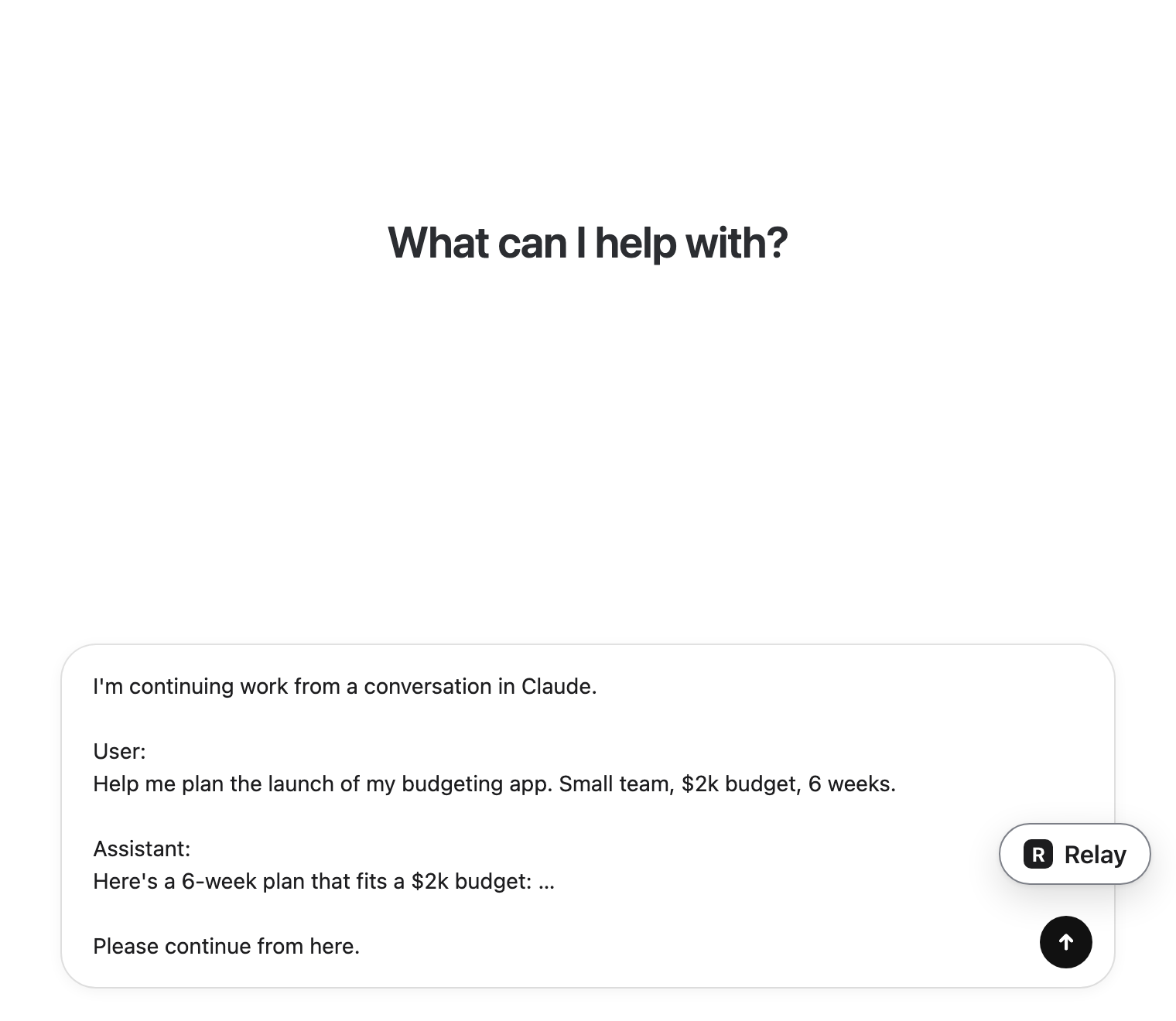 Carry on thereIt lands in the message box. You press send.
Same AI or a different one?
Relay moves conversations between different AIs, so it won't help you start a new ChatGPT chat from an old ChatGPT one. For that, the hand-off note above is the way. If a fresh perspective would help, though, moving the conversation to Claude or Gemini with Relay keeps the exact wording of what you decided.